1800 121 5955
Key Takeaways
- Compliance checklists miss most real barriers. The WebAIM Million 2026 found detectable WCAG 2 failures on 95.9% of the top one million home pages, and automated scans can’t see confusing flows at all.
- Accessibility is an outcome you verify; inclusive design is a process you run. The first grades what was built; the second changes what gets built.
- The business case is revenue, not just risk. The Click-Away Pound survey found 69% of disabled online shoppers with access needs leave sites they find hard to use.
- Situational limits are everyday conditions. Glare, noise and one-handed use create the same needs as permanent disabilities, so one pattern serves both.
- AI scales accessibility work but can’t judge it. 82% of organizations use AI in accessibility (Level Access); testing with real assistive-technology users still decides whether it worked.
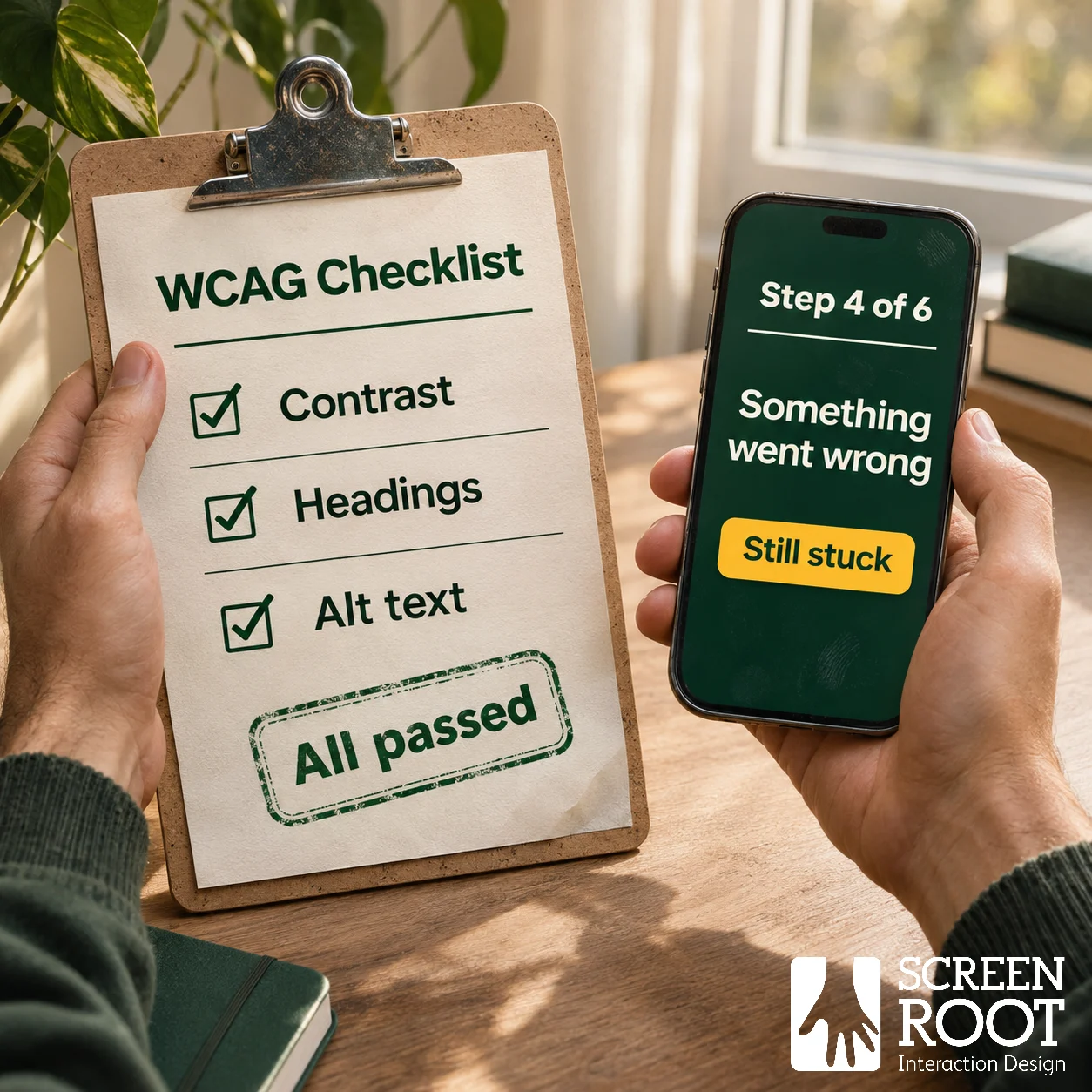
Most organizations meet accessibility through compliance checklists, not inclusive design principles, and it shows. Enterprise accessibility programs tend to start the same way: a vendor scan, a remediation backlog, a dashboard that turns green and a sign-off memo. Then the complaints arrive anyway. A loan application that passes contrast checks still strands users at step four. A patient portal with perfect heading structure still confuses the people it was built for. The checklist was satisfied; the experience was not.
The scale of the gap is hard to ignore. The WebAIM Million 2026 analysis found detectable WCAG 2 failures on 95.9% of the top one million home pages, up from 94.8% in 2025, averaging 56.1 errors per page. Many of those pages belong to well-funded organizations that have already bought the tools and run the audits. And detectable failures are only the ones automation can see. The harder problems sit underneath: confusing flows, ambiguous labels, forms that assume a level of literacy or attention the user doesn’t have that day.
This article makes a direct argument for digital transformation leaders in regulated sectors: treating WCAG as the finish line is a strategic error, and the alternative is a research-first method that pays back across the whole user base.
What is the difference between accessibility and inclusive design?
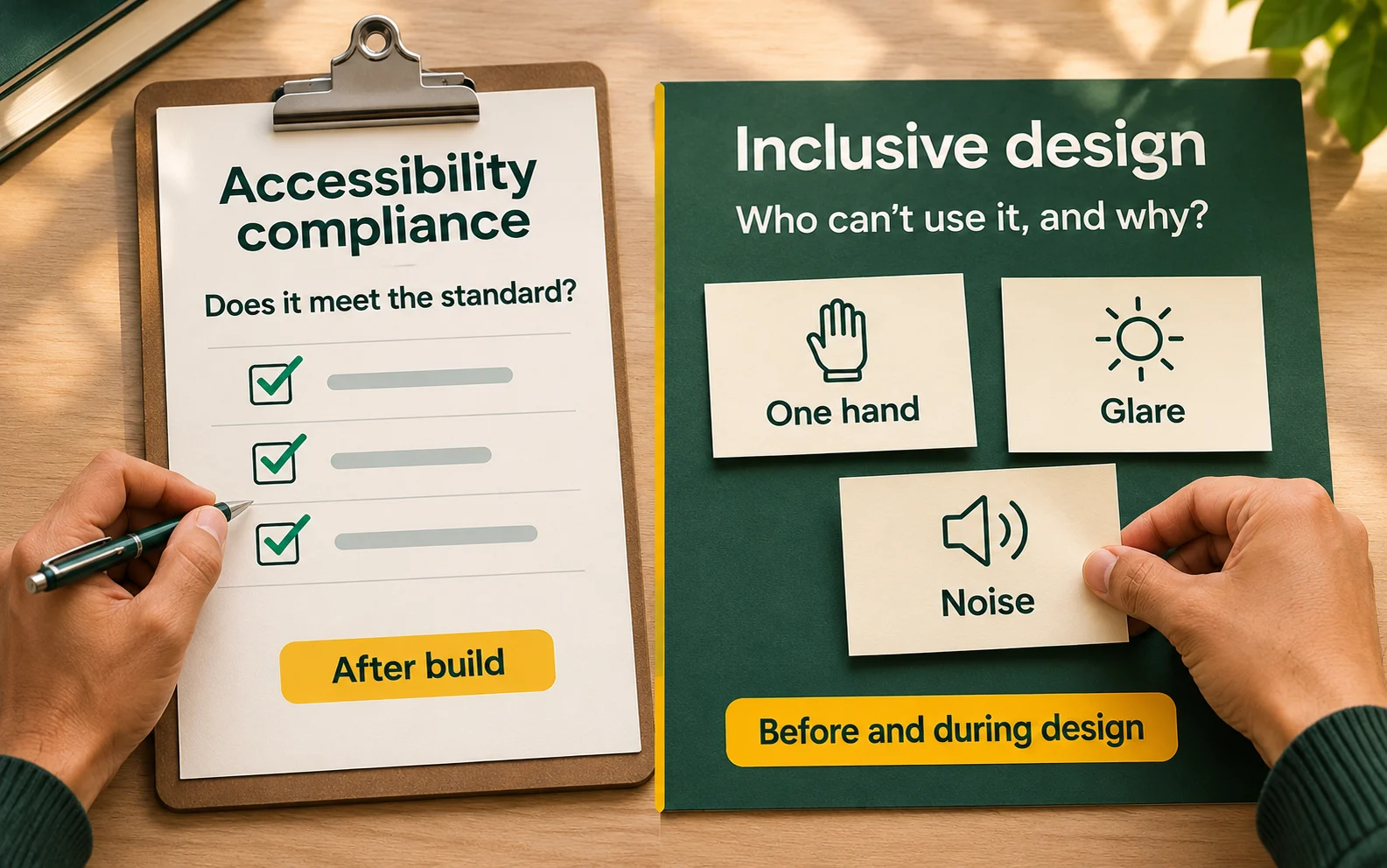
Accessibility is an outcome you verify: does a shipped interface meet a standard such as WCAG? Inclusive design is a process you run: who was involved, and whose constraints shaped the product before anything was built? Organizations that only audit keep rediscovering the same defects, because those defects were designed in.
| Accessibility compliance | Inclusive design | |
| Question asked | Does it meet the standard? | Who can’t use it, and why? |
| When it happens | After build (audit, remediation) | Before and during design (research) |
| Primary tool | Automated scans, checklists | Research with diverse users |
| What it catches | Detectable code-level failures | Flow, language, context and cognitive barriers |
| Cost profile | Recurring remediation | Paid once, inherited by every release |
Automated scanners don’t model intent, context or frustration, so they can report a clean bill of health on products people genuinely cannot complete a task in. The two are complementary: inclusive design changes what gets built, and accessibility auditing grades what already was.
What is the business case for inclusive design?
Inclusive design pays back through conversion and retention, not just reduced legal risk. An estimated 1.3 billion people, 16% of the world’s population, live with significant disability, and most of them abandon sites that are hard to use. Removing that friction helps every user complete tasks.
Most accessibility budgets get approved out of fear. Legal exposure is real and a legitimate line item, but fear produces minimum viable compliance and nothing more. The stronger case is about revenue:
- The audience is large. The World Health Organization estimates that 1.3 billion people, about 1 in 6, experience significant disability, and the number is growing as populations age.
- They leave when sites fail them. The UK Click-Away Pound 2019 survey found that 69% of disabled internet users with access needs simply click away from a website they find difficult to use, a spending power the authors put at over £17 billion for the UK alone.
- Design maturity correlates with growth. McKinsey’s Business Value of Design study of 300 listed companies found top-quartile design performers achieved 32 percentage points higher revenue growth and 56 points higher shareholder returns over five years than industry peers. Inclusive research practice is one of the disciplines that maturity rests on.
The fixes that help a screen reader user (clearer labels, visible focus states, predictable navigation, readable error handling) also help the rushed branch manager on a tablet, the claims adjuster on a bad connection and the customer completing a mortgage application at 11pm.
For digital transformation leads, that reframing matters at portfolio level. Accessibility remediation competes for budget against growth initiatives and usually loses. Inclusive design competes alongside them, because the mechanism of value is the same: fewer abandoned journeys, fewer support calls, fewer rebuilds.
What are the core principles of inclusive design?
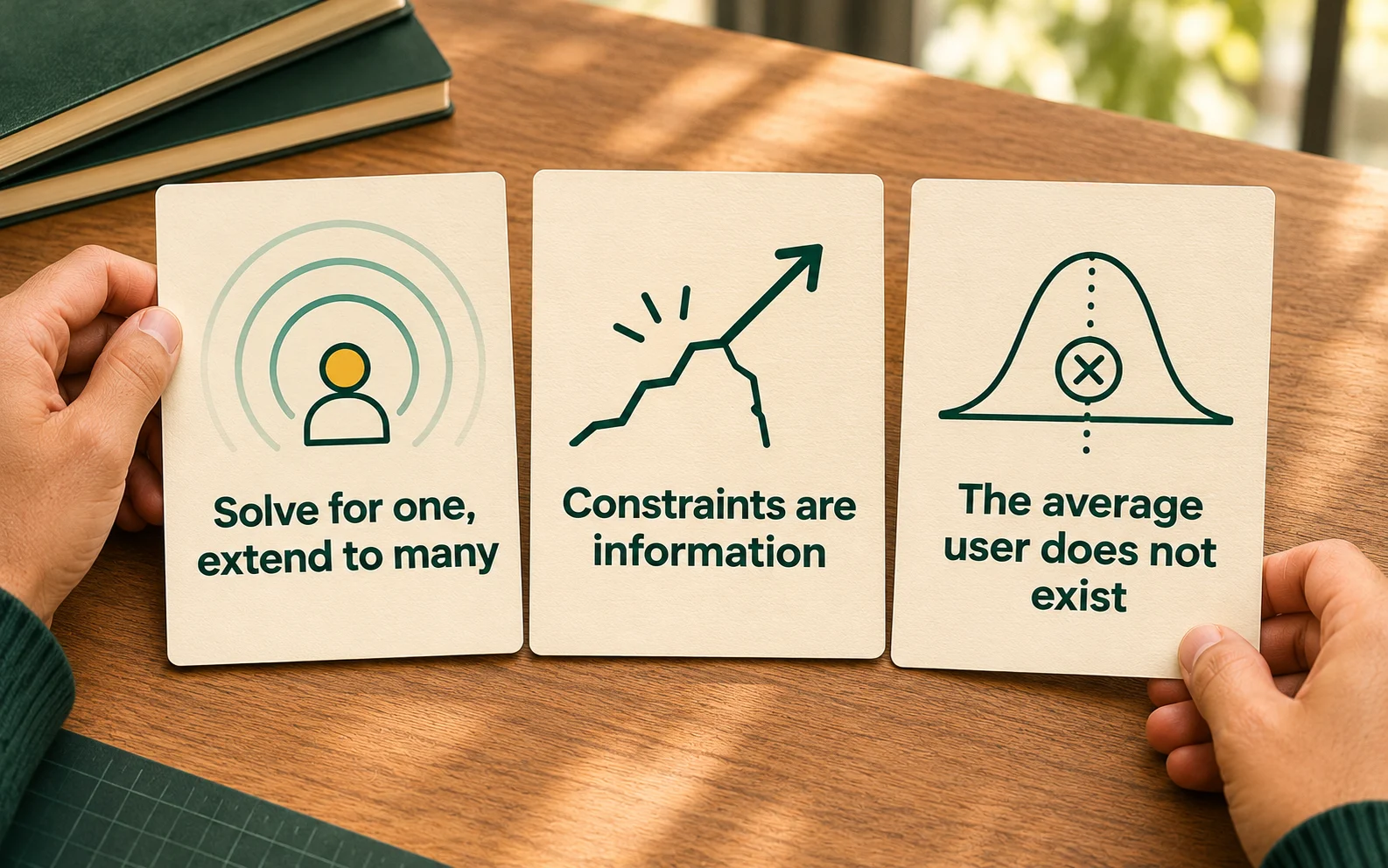
Three principles drive inclusive design: solve for one person’s constraint and extend the solution to many; treat constraints as design information rather than edge cases; and design for real, diverse people instead of an “average user” who doesn’t exist. Together they move accessibility from remediation into the design brief.
1. Solve for one, extend to many
Start with a specific human constraint rather than an average. Study one person who can’t reliably use a mouse, or one person managing a complex claim while distracted, and build something that genuinely works for them. The resulting patterns (larger targets, keyboard-complete flows, forgiving input handling) serve a far wider population than the one they were designed around.
2. Constraints are information, not edge cases
Traditional practice treats atypical users as exceptions to handle after the happy path is locked. Inclusive design inverts that order and treats the hardest constraint as the brief. A permanent limitation, a temporary injury and a situational pressure produce similar interaction needs, which is why one well-designed pattern can cover all three. Designing from the edge produces a center that holds.
3. The average user does not exist
Enterprise products in BFSI and healthcare are routinely specified around a composite persona built from survey medians: average vision, average literacy, average attention, average device. No individual matches that composite, so the product fits nobody precisely. Research with diverse cohorts (people with disabilities, people under cognitive load, people on constrained hardware) replaces the composite with real behavioral evidence before the first wireframe exists.
How do situational limitations affect enterprise software?
A situational limitation is a temporary barrier caused by context, such as glare, noise or having one hand free, that creates the same needs as a permanent disability. Enterprise software is used in exactly these conditions, so designing for them serves both the workforce and users with disabilities.
Enterprise software rarely gets used in the conditions it was designed in. The gap between a quiet studio and a loading dock is where many usability failures live.
| Situation | Who it affects | Inclusive pattern | Also serves |
| High glare | Field surveyor reading a tablet in sunlight | High-contrast themes, generous type, no gray-on-gray distinctions | Users with low vision |
| High noise | Staff on a hospital ward or factory floor | Visual and haptic alerts, persistent (not transient) notifications, status that survives a glance away | Deaf and hard-of-hearing users |
| One hand free | Driver holding a parcel, nurse holding a chart, commuter holding a rail | Primary actions in the thumb zone, destructive actions outside it, no two-handed gestures | Users with limited dexterity or a temporary injury |
None of these are special cases. They are normal operating conditions for the workforce most enterprise applications serve. An inclusive design process surfaces them during research, where they cost a conversation, rather than during UAT, where they cost a release cycle.
How does plain language improve accessibility in regulated industries?
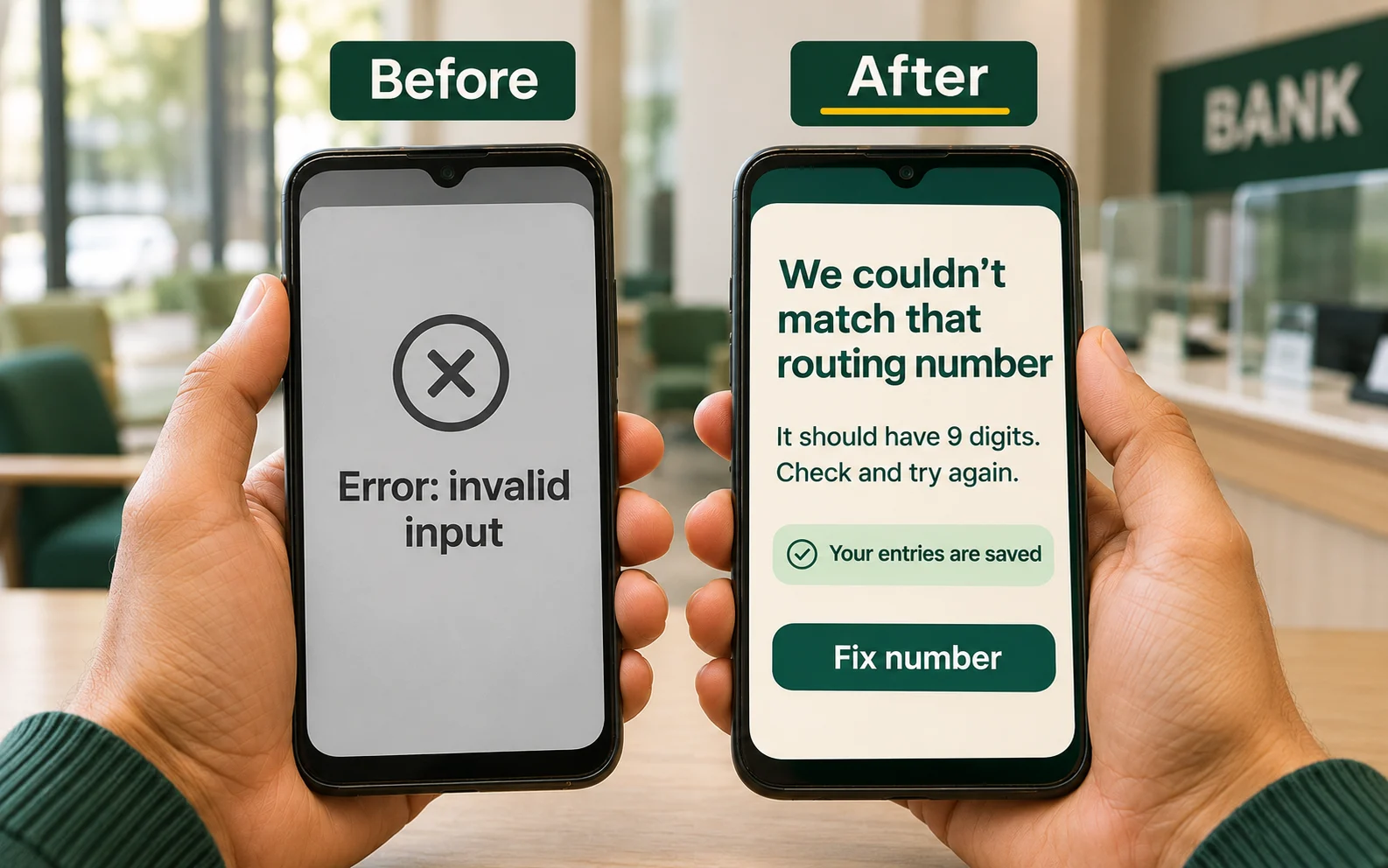
Plain language improves accessibility by letting users understand outcomes, costs and errors on first reading, even under stress. In banking and healthcare, legal text can stay intact while its sequencing, hierarchy and surrounding guidance change, so disclosure is actually received rather than merely displayed.
The old way is punitive. A customer mistypes a routing number and gets “Error: invalid input.” A patient misses a required field and the form clears every entry above it. Regulated industries have historically written interface copy the way they write disclosures: defensively, in full legal register, with the burden of interpretation on the reader. Under cognitive load, which describes nearly everyone completing a mortgage application or a prior-authorization request, that copy stops working as communication.
The inclusive approach is helpful. It treats cognitive accessibility as a design constraint from the start:
- Front-load the facts. State the outcome, cost and time commitment before the user commits to a flow, not on a confirmation screen afterward.
- Write errors in three parts. Say what happened, why, and what to do next, in that order, in language a reader can process on a first pass.
- Use descriptive link text. “Download your 2026 policy summary” rather than “click here” serves screen-reader users navigating by link list, and anyone scanning a dense page for the one action they came for.
- Preserve input. Never clear a form because one field failed validation.
Cognitive clarity and assistive-technology compatibility are the same requirement expressed twice. ScreenRoot applies this across banking and healthcare interfaces where regulatory language is non-negotiable but its presentation is not. Plain language isn’t a dilution of legal rigor; it’s the difference between disclosure that technically occurred and disclosure that was actually received.
How should AI be used in an accessible design system?
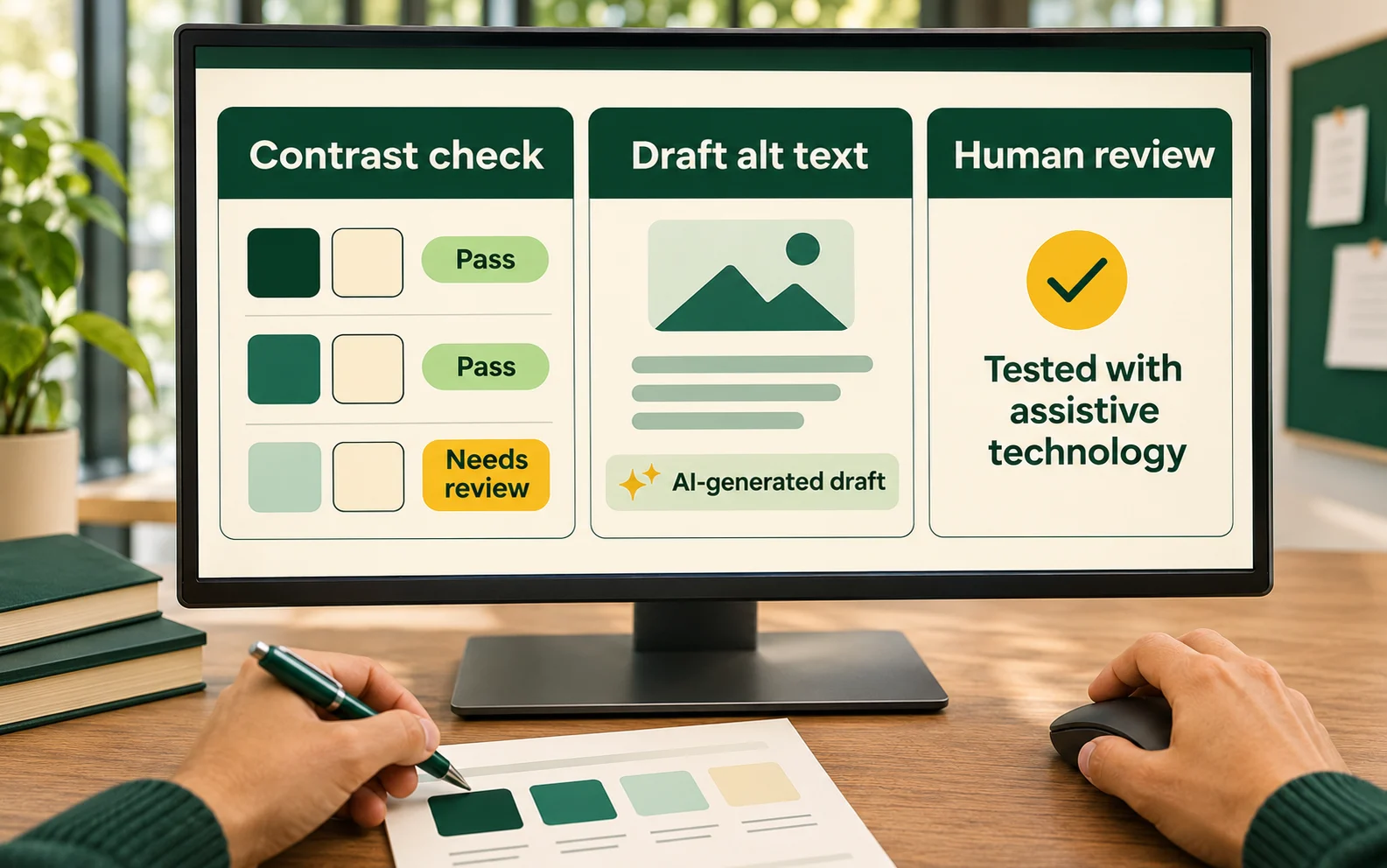
Use AI to scale repetitive accessibility work, such as first-draft alt text, contrast checks across design tokens and regression detection in CI, while humans and real assistive-technology users judge whether the result actually works. AI produces plausible output, not verified output.
Accessibility work has always been constrained by scale. A large bank may operate thousands of templates, and manual review of every one is impractical. Level Access’s State of Digital Accessibility Report 2025–2026, a survey of more than 1,600 professionals, found that 82% of organizations now incorporate AI tools into their accessibility strategies.
Where AI earns its place:
- Alt text at volume. Image-heavy libraries, catalogs and document archives can get first-draft descriptions that a human editor refines rather than writes from scratch.
- Contrast and token auditing. Machine checks can validate every color pairing in a token set against every background it might appear on, a combinatorial problem humans do slowly.
- Regression detection in CI. Automated checks catch structural failures (missing labels, broken focus order, orphaned headings) at commit time rather than at release.
The warning matters as much. An auto-generated alt text for a clinical chart may describe the image accurately and still omit the one data point that mattered. Overlay products that promise compliance through a script tag are an expensive version of this problem: they obscure defects rather than remove them, and they sit outside the accessible design system where fixes belong. Practitioners agree: in Level Access’s 2026 follow-up report, 89% of respondents said it is critical that humans stay closely involved in accessibility as AI advances. Human-in-the-loop testing with assistive-technology users is the only thing that tells you whether the tooling helped.
What does research-driven inclusive design look like in practice?
In practice, research-driven inclusive design means contextual research in the real environment, cohorts that include users with disabilities and low digital confidence, and fixing constraints in the information architecture rather than in remediation tickets. The payoff shows up as fewer steps, fewer support contacts and easier compliance reviews.
The recurring challenge. Across work in banking, insurance and healthcare since 2008, ScreenRoot sees one brief again and again. A product is functionally complete and compliant, yet adoption stalls, support volume climbs and internal teams build spreadsheet workarounds. The client describes the problem as “the UI needs a refresh.” The real problem is almost always that the workflow was modeled on the organization’s internal process rather than on how practitioners and customers behave under real conditions.
The method. Research precedes design. That means contextual inquiry where the product is used (a ward, a branch, a claims floor) rather than a conference room. It means recruiting cohorts that include users with disabilities, users with low digital confidence and users under time pressure, because they reveal structural flaws that confident power users route around without noticing. Constraints found at this stage, such as a form that can’t be completed one-handed, terminology two user groups read differently, or a required document users rarely have on hand, get resolved in the information architecture rather than in a remediation ticket eighteen months later.
The outcome. The shift clients describe is from complex to intuitive, and it registers commercially long before it registers in an accessibility report. Tasks complete in fewer steps. Support contacts drop for the redesigned journeys. Training time shortens. Compliance reviews get easier, because a product designed around genuine comprehension produces fewer ambiguity-driven failures. Inclusion is the method; usability is the result. See ScreenRoot’s case studies.
How should leaders build an inclusive design strategy?
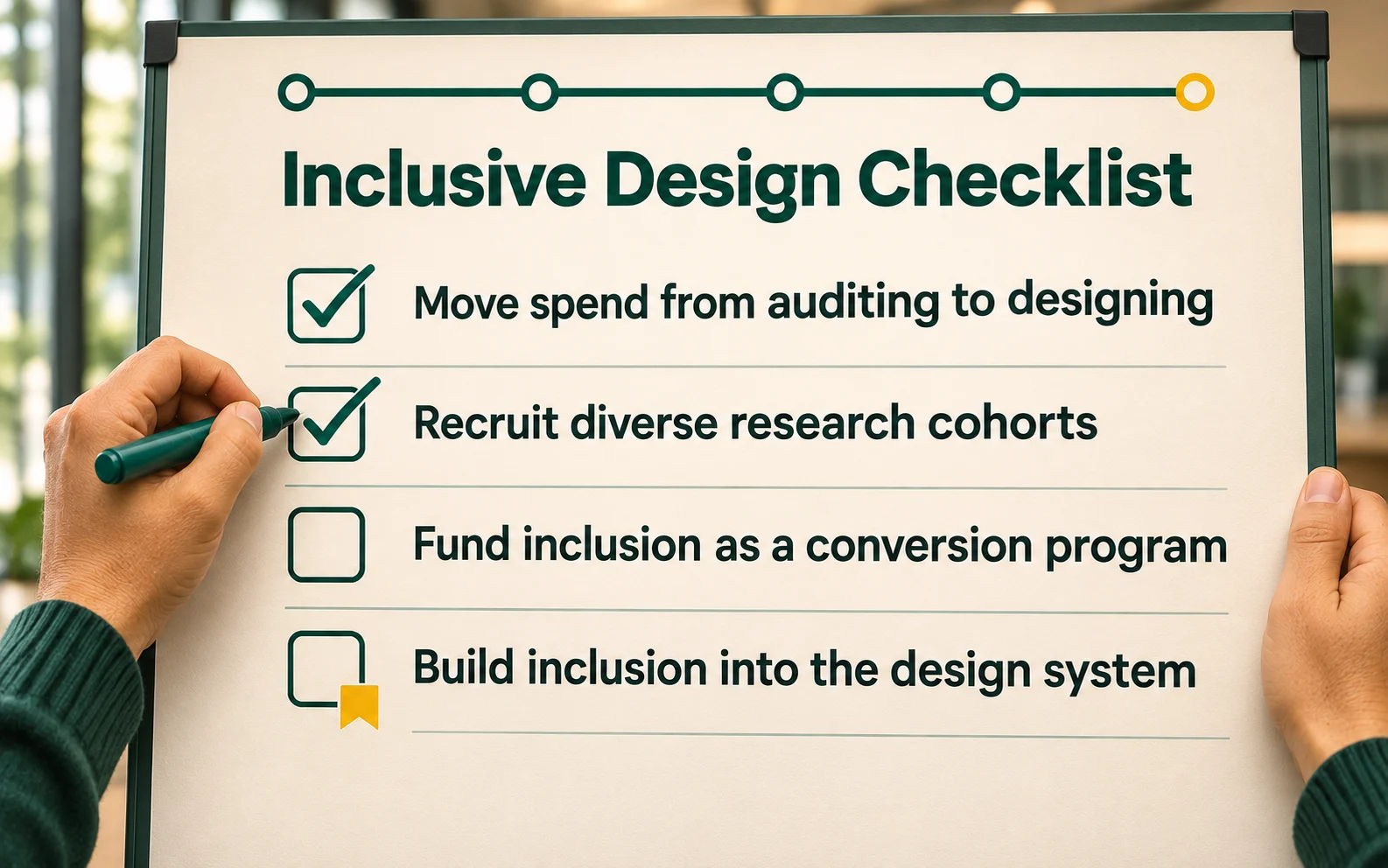
Shift spend from auditing to designing, recruit research cohorts that reflect real constraint diversity, fund inclusion as a conversion program, and build it into the design system. These four moves turn accessibility from an annual remediation cycle into a standing capability.
Use this as an inclusive design checklist for next year’s roadmap:
- Move spend from auditing to designing. An audit tells you what’s broken in something already built. Research before design locks tells you what not to build. The second costs less and produces a better product.
- Recruit cohorts that reflect real constraint diversity. If your test panel is confident, able-bodied users on new hardware in quiet rooms, you’re validating assumptions, not testing them.
- Fund inclusion as a conversion program, not a compliance line. It survives budget scrutiny on the same logic as any growth initiative, because the friction it removes affects every user.
- Build inclusion into the design system. Accessible components, validated color tokens, documented interaction patterns and tested form behaviors are built once and inherited by every product team, turning a recurring project cost into fixed infrastructure.
- Ask three process questions. Who took part in the research behind your last major release? Were constraints identified before or after the architecture was fixed? Does your design system encode accessibility, or merely document it?
Regulatory floors will keep rising, assistive technology will keep diversifying and the environments your products are used in will keep getting messier. A compliance posture built around today’s criteria ages badly. A design process built around real constraints adapts to whatever the next standard asks for. Competitors still running quarterly scans will keep paying remediation costs that compound, while the inclusive-by-default organization pays once at the design stage and inherits the benefit in every release.
ScreenRoot works with BFSI and healthcare organizations on this transition, bringing a research-first UI/UX method to complex, regulated products where getting it wrong is expensive and getting it right compounds.
Frequently Asked Questions
What are inclusive design principles?
Inclusive design principles are a set of practices for designing with, not just for, people who face barriers. The core ideas are solving for one person’s constraint and extending the solution to many, treating constraints as design input rather than edge cases, and researching with diverse real users instead of designing for an “average” user.
Is WCAG compliance enough for accessibility?
No. WCAG conformance is an essential baseline, but automated checks only catch detectable code-level failures, and even those remain widespread: WebAIM found failures on 95.9% of top home pages in 2026. Confusing flows, unclear language and context-specific barriers need research and testing with real users.
What is a situational disability?
A situational disability is a temporary limitation caused by context rather than by a person’s body, such as glare on a screen, a noisy environment or having only one hand free. Designing for these situations produces the same patterns that serve people with permanent disabilities, such as high contrast, visual alerts and one-handed controls.
Can AI make a website accessible?
AI can speed up parts of accessibility work, including drafting alt text, checking color contrast across design tokens and catching regressions in code. It cannot confirm that an experience works for disabled users, and overlay tools can hide defects. Human review and testing with assistive-technology users remain essential.
How do you make a design system accessible?
Build accessibility into components themselves: semantic structure, keyboard support, visible focus, labeled inputs, validated color tokens and documented interaction patterns. Test components with assistive technologies and real users, then let product teams inherit them, so accessibility is encoded once instead of re-audited in every project.
Written by Team ScreenRoot. 16+ years leading enterprise UI/UX research for BFSI, SaaS, and Healthcare clients.
When you’re ready, let’s talk.
📞 Call us (Toll-Free): 1800 121 5955 (India)
✉️ Email us: [email protected]